VESSEL AI
 VESSEL AI

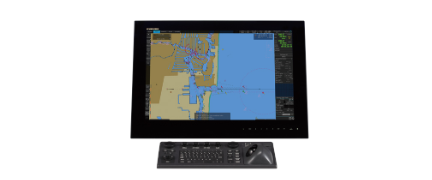
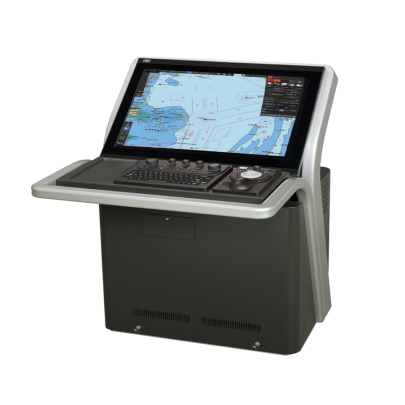
ECDIS

The ECDIS is a compact and powerful AIS Class B transceiver primarily designed for small to medium-sized commercial vessels, workboats, and large recreational sailboats/yachts. It strictly adheres to the International Maritime Organization (IMO) and related international standards, aiming to significantly enhance a vessel's situational awareness and safety capabilities through a cost-effective solution.

GENERAL SPECIFICATION

JAN-9201

Display

26inch Wide LCD

Bearing Indication

Relative motion mode: North UP/Course UP/Head UP/Waypoint UP<br>True motion mode: North UP/Course UP/Waypoint UP

Operation

Cursor and keys

External media

General purpose USB port × 1 and DVD drive

Ambient Condition - Operating Temperature

-15°C to +55°C (Storage: -25°C to +70°C)

Ambient Condition - Relative Humidity

+40°C, 93%

Ambient Condition - Vibration

2 to 13.2Hz: Amplitude ±1mm ±10%<br>13.2 to 100Hz: Acceleration 7m/s²

Power Supply Input

100 to 115VAC, 50/60Hz 1φ<br>220 to 240VAC, 50/60Hz 1φ<br>24VDC

Power Consumption

Rating: Approx. 240VA<br>(DC:72W at AC power outage)

Power Supply Voltage Fluctuation

AC input: ±10%<br>DC input: +30%, -10%

Processing Unit


Central Control Unit

NDC-1590/A

Power Supply Unit

NBD-913

Trackball Operation Unit

NCE-5605

Display


Display

NWZ-208

Option Unit


Keyboard Operation Unit

NCE-5625

Operation Unit Desktop Frame Rack

CWB-1596

Large tray

CWB-1593

Junction Box

NQE-1143

Sensor LAN Switch Unit

NQA-2443/A

26inch Desktop Frame Rack

CWB-1595

26inch Display Unit Mount Kit

CWA-246

Buzzer unit

CGC-25

Safe Distance For Standard Compass


Configuration and Specifications


Basic configuration of the equipment


Number

Name

Function

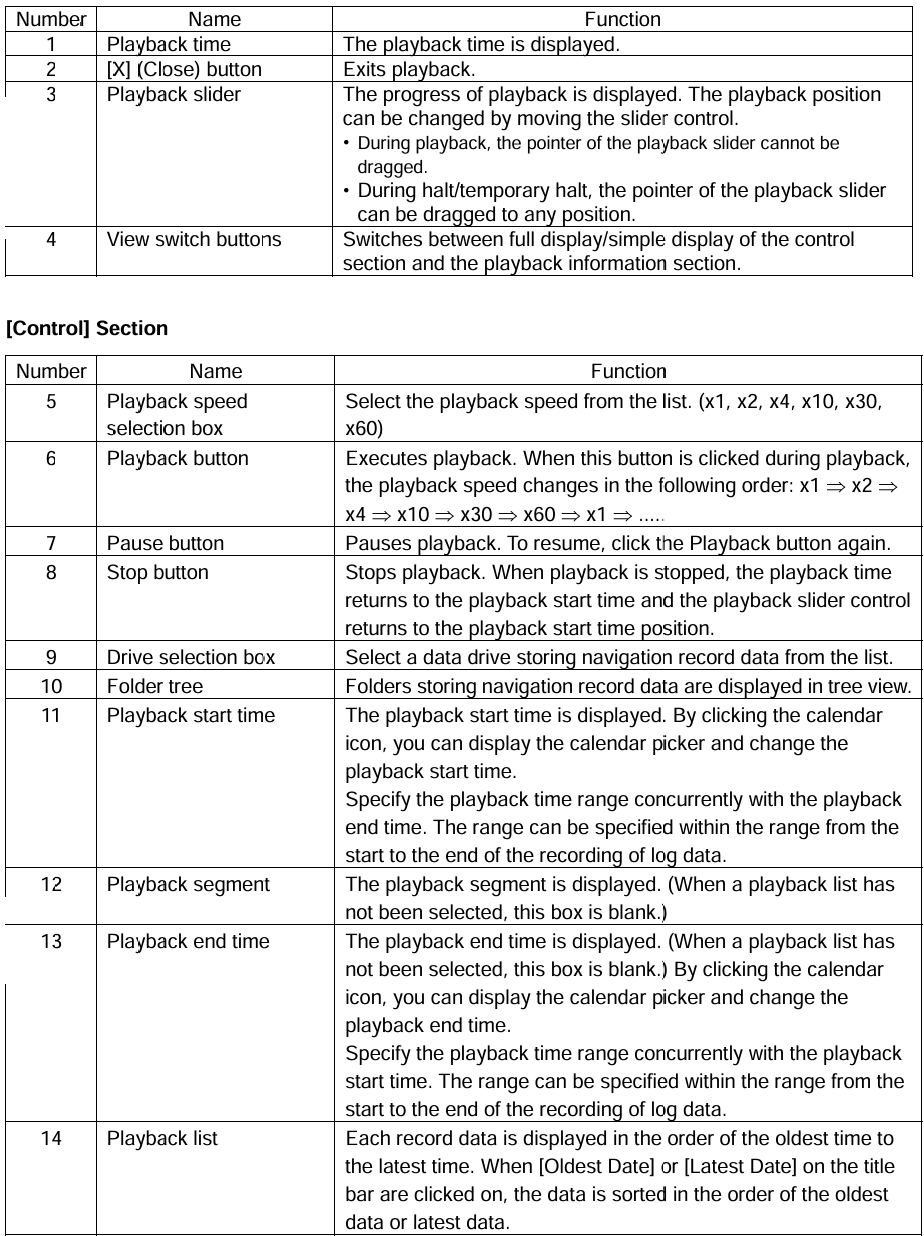
1

Playback time

The playback time is displayed.

2

[X] (Close) button

Exits playback.

3

Playback slider

The progress of playback is displayed. The playback position can be changed by moving the slider control. <br> • During playback, the pointer of the playback slider cannot be dragged. <br> • During halt/temporary halt, the pointer of the playback slider can be dragged to any position.

4

View switch buttons

Switches between full display/simple display of the control section and the playback information section.

5

Playback speed selection box

Select the playback speed from the list. (x1, x2, x4, x10, x30, x60)

6

Playback button

Executes playback. When this button is clicked during playback, the playback speed changes in the following order: x1 ⇒ x2 ⇒ x4 ⇒ x10 ⇒ x30 ⇒ x60 ⇒ x1 ⇒ ……

7

Pause button

Pauses playback. To resume, click the Playback button again.

8

Stop button

Stops playback. When playback is stopped, the playback time returns to the playback start time and the playback slider control returns to the playback start time position.

9

Drive selection box

Select a data drive storing navigation record data from the list.

10

Folder tree

Folders storing navigation record data are displayed in tree view.

11

Playback start time

The playback start time is displayed. By clicking the calendar icon, you can display the calendar picker and change the playback start time. <br> Specify the playback time range concurrently with the playback end time. The range can be specified within the range from the start to the end of the recording of log data.

12

Playback segment

The playback segment is displayed. (When a playback list has not been selected, this box is blank.)

13

Playback end time

The playback end time is displayed. (When a playback list has not been selected, this box is blank.) By clicking the calendar icon, you can display the calendar picker and change the playback end time. <br> Specify the playback time range concurrently with the playback start time. The range can be specified within the range from the start to the end of the recording of log data.

14

Playback list

Each record data is displayed in the order of the oldest time to the latest time. When [Oldest Date] or [Latest Date] on the title bar are clicked on, the data is sorted in the order of the oldest data or latest data.


Options


No.

Description

Model

Qty

Notes

1

AC/DC Power supply unit

NBD-577C

1

100/220V Manual Change

2

Control cable for NCM-983

CFQ-9183A

1

Length= 2m

3

CFQ-9183D

1

Length=10m

4

CFQ-9183F

1

Length=20m

5

Connection box

NQE-5183

1

With 4 tapping screws

6

Data cable for NQE-5183

CFQ-9193A

1

Length=2m

7

CFQ-9193D

1

Length=10m

8

CFQ-9193F

1

Length=20m

9

AC power supply unit for Pilot PC

NBG-380

1

120VAC output

10

Pilot plug cable

CFQ-9173A

1

Wall mount cable Length=0.3m

11

Pilot plug cable

CFQ-6961

1

Length=20m

12

Pilot plug box

NQE-3150

1

Wall mount type

13

Console mounting kit for NQE-3150

MPBX40498

1

Color: 7.5BG7/2

14

MPBX45388

1

Color: N4.0

15

L-type adapter

CFQ-9184

1


Application Scenarios